tvusage Remote

Manage screen time from your phone

Review your child’s usage and manage linked Android TVs, phones, and tablets from a parent’s Android phone or a signed-in browser.

Controls for connected devices

  • Review daily and historical usage
  • Lock or unlock linked devices and apps
  • Approve eligible PIN requests
  • Manage multiple linked devices and synced profiles with Pro
  • Review the configured PIN when needed

Install tvusage on each child device, complete its permissions, and connect it to the same Remote account. Plus includes one remotely managed device and two profiles; Pro adds unlimited devices and profiles. Updates depend on connectivity and synchronization.
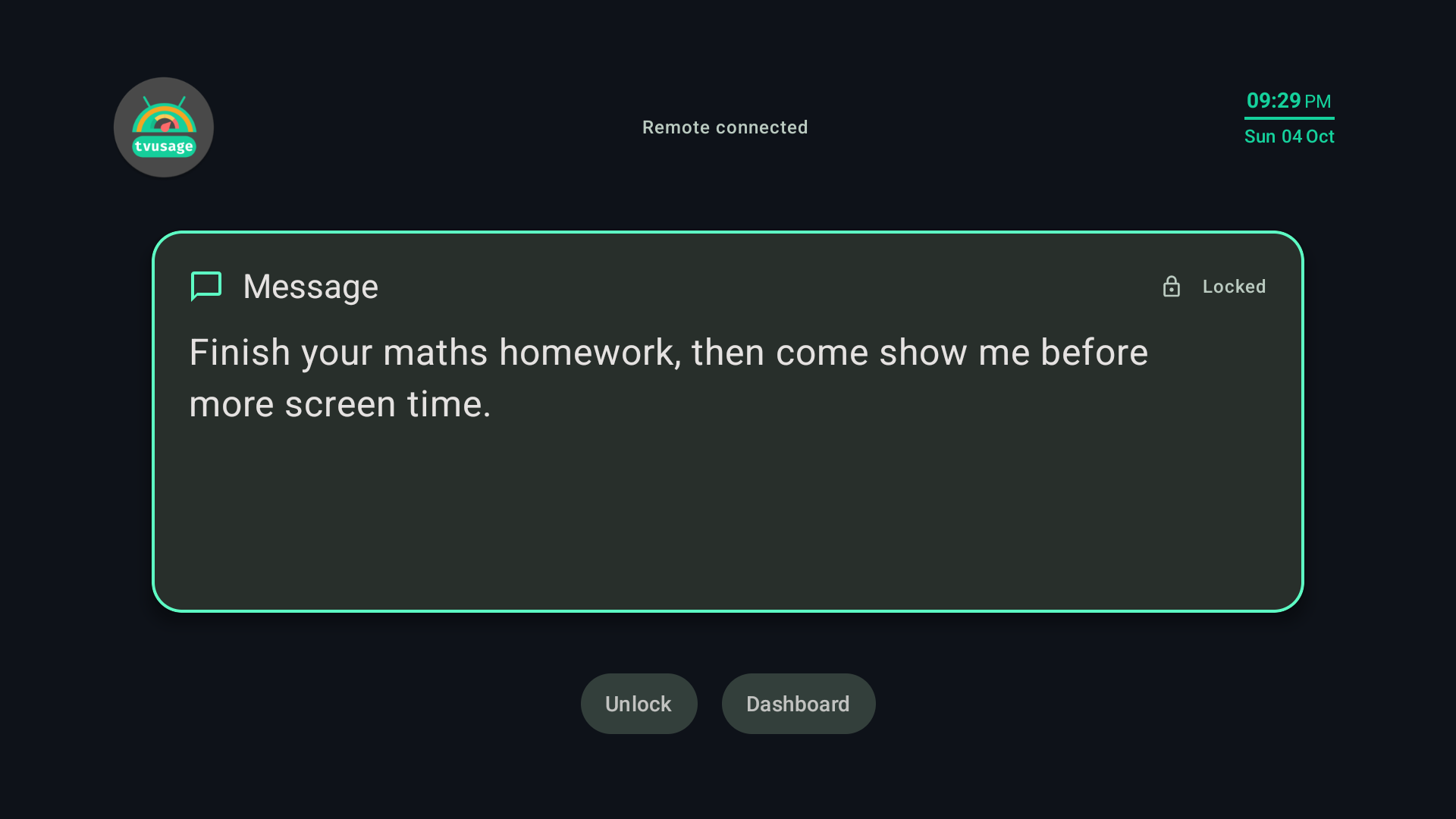
Explain a pause with a parent message

Open Send message, write a clear next step, then choose Send and lock. For an eligible pending extra-time or session request, choose Reject with message, then Reject and send, to explain why the restriction stays.

tvusage TV lock screen displaying: Finish your maths homework, then come show me before more screen time.
A parent message on the child’s TV. View full-size image

Use updated tvusage on connected child devices and check the child device to confirm receipt. Parents check completion manually and decide when to unlock; tvusage does not track tasks or give automatic rewards.

Homework, chores, and reading message guide

See the parent-message feature tour

Connection and account help