Child profiles
How to give each child separate limits on a shared TV
Create a tvusage profile for each child and have a parent activate it before their turn. Usage belongs to the active profile, and switching preserves each child’s recorded time.
Set up separate turns
- Create the profiles.
In tvusage, open Settings → tvusage remote → Profiles → New. Name each child and choose Create. Configure their allowances and allowed hours separately instead of changing one common rule for every turn.
- Activate the current child.
A parent selects the child’s profile and chooses Activate before watching. Check it before opening the app. tvusage does not identify viewers from their face, remote control, or streaming account.
- Switch for the next turn.
Activate the next child’s profile. Keep the previous profile; deleting it or creating a copy is not needed. Its usage remains available when that child returns.
Understand how time is counted
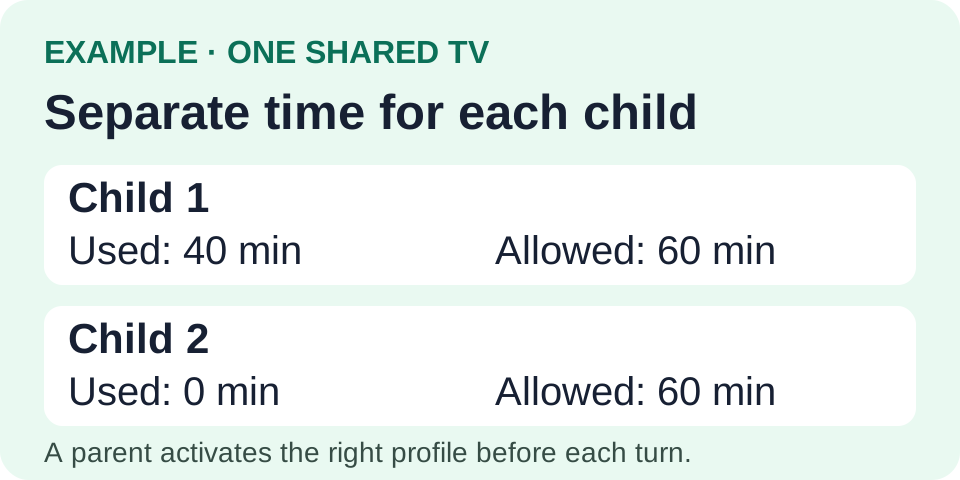
If each child has sixty minutes and Child 1 uses forty, twenty remain for that child. Child 2 has their own remaining allowance. Switching back does not erase Child 1’s forty minutes.
When children watch together, that session belongs to the active profile. tvusage does not split it between viewers. Choose the profile before the session so reports reflect the arrangement you intended.
To add a phone or tablet later, activate the child’s existing synced profile on it. Enable Remote and use Pro for multiple screens. Connectivity and synchronization affect when shared usage appears.